View Immigration Status UK - How to Check Your eVisa and UKVI Account in 2026
Understand how to view your UK immigration status online, access your eVisa, generate a share code and prove your right to work, rent or live in the United Kingdom.
Viewing your immigration status online is an important process for individuals who hold a UK visa, settled status, pre-settled status or another form of digital immigration permission.
The UK Home Office increasingly uses digital immigration records, known as eVisas, to allow individuals to access and demonstrate their immigration status without relying on physical documents.
For overseas professionals, international students, families and individuals relocating to London, understanding how to view immigration status can help simplify employment checks, rental applications and other administrative requirements.
A UK Visas and Immigration (UKVI) account allows eligible individuals to view their immigration permission, check relevant conditions and generate share codes to demonstrate certain rights to authorised organisations.
However, a UKVI account is not the same as an immigration application, and the information displayed must be checked carefully to ensure it accurately reflects the individual's permission.
Fraser Bond, a UK property agency and real estate consultancy, supports landlords, tenants, buyers and property investors with residential property transactions, lettings and property management across London and the wider UK.
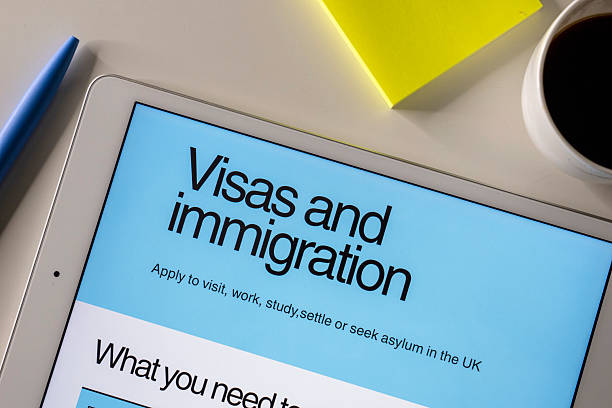
This guide explains how to view your UK immigration status, access an eVisa, check visa conditions, generate share codes and resolve common issues when using the Home Office digital immigration system.
What Does View Immigration Status Mean?
View immigration status refers to accessing an official digital record of a person's permission to enter, live, work, study or remain in the United Kingdom.
The UK government provides an online service that allows eligible individuals to check their immigration information through a UKVI account.
Depending on the type of permission held, the digital record may display:
-
Immigration status or visa category.
-
Permission to remain in the UK.
-
Immigration permission expiry date, where applicable.
-
Relevant employment conditions.
-
Certain study-related restrictions.
-
Eligibility to demonstrate the right to rent in England.
-
Options to generate share codes.
The exact information available depends on the person's immigration status.
What Is a UK eVisa?
An eVisa is a digital record of an individual's immigration status and the conditions attached to their permission.
It is linked to the person's UKVI account.
The digital system has progressively replaced many physical immigration documents, including biometric residence permits.
An eVisa is not a new immigration category. It is a digital way of recording and demonstrating existing immigration permission.
For example, someone holding a Skilled Worker visa may use their UKVI account to view the relevant permission and demonstrate their right to work or rent.
How to View Your Immigration Status Online
Eligible individuals can view their immigration status through the official UKVI online service.
Step 1 - Access Your UKVI Account
Open the government's View and Prove immigration status service.
Use the identity document or UKVI customer number associated with your account.
Step 2 - Enter Your Identity Details
Depending on your account, you may need information from your passport, national identity card, biometric residence card, expired biometric residence permit or UKVI customer number.
Step 3 - Complete Identity Verification
The system may send a security code to the email address or mobile phone number linked to your UKVI account.
Enter the code to complete the sign-in process.
Step 4 - View Your eVisa
Once signed in, you can review the immigration status recorded in your account.
Check your name, immigration category, permission expiry date and any applicable conditions.
Step 5 - Generate a Share Code If Required
If an employer, landlord or other organisation needs to verify your status, select the appropriate option to generate a share code.
The code allows them to access specified information through the official checking service.
What Do You Need to View Your Immigration Status?
|
Requirement |
Purpose |
|---|---|
|
Passport or other accepted identity details |
Identify the account holder |
|
UKVI account |
Access digital immigration records |
|
Registered email or mobile number |
Receive sign-in verification |
|
Internet access |
Open the online service |
|
Share code |
Allow an authorised third party to check relevant status |
You do not normally need to pay to create a UKVI account or view an eVisa.
How to View Immigration Status Without a BRP
Biometric residence permits have been replaced by digital immigration status records.
Individuals who previously relied on a BRP can generally access their immigration permission through a UKVI account.
An expired BRP may still be useful for signing in or setting up access to an eVisa, but it should not be treated as a valid travel document.
The important requirement is that the person's digital record is correctly linked to their UKVI account.
How to Create a UKVI Account
If you do not already have a UKVI account, you may need to create one to access your eVisa.
The process generally involves providing contact information, confirming your identity and linking the account to your immigration record.
Some individuals may need to use the UK Immigration: ID Check application.
Once the account has been created and linked successfully, the eVisa is normally accessible immediately, although it can take up to 24 hours.
Creating an account does not itself grant immigration permission.
How to Generate an Immigration Status Share Code
A share code allows an authorised person to check specific immigration permissions.
After signing in to your UKVI account, select the option to prove your status and specify the purpose.
The service generates a nine-character code.
You can then provide that code and your date of birth to the person carrying out the check.
A share code normally remains valid for 90 days and can be used more than once during that period.
Different Types of Immigration Share Codes
|
Code type |
Main purpose |
Typical recipient |
|---|---|---|
|
Right to rent |
Prove eligibility to rent residential accommodation in England |
Landlord or letting agent |
|
Right to work |
Demonstrate employment permission |
Employer |
|
General immigration status |
Share specified immigration information |
Relevant organisation |
A share code generated for one purpose cannot normally be used for a different purpose.
For example, an employer should not use a right-to-rent code to verify employment permission.
View Immigration Status for Right to Rent
Right-to-rent checks are relevant to residential lettings in England.
Landlords and letting agents must conduct the prescribed checks on relevant adult occupiers before the tenancy begins, unless an exemption applies.
An eligible prospective tenant can generate a right-to-rent share code through their UKVI account.
The landlord then uses the official Home Office checking service to verify the individual's permission.
The landlord should also check that the photograph corresponds to the person presenting themselves.
View Immigration Status for Right to Work
Employers must establish that employees have the legal right to undertake the work offered.
Individuals with digital immigration status may demonstrate this through a right-to-work share code.
The employer uses the relevant Home Office checking service to review any restrictions.
For example, a Student visa holder may have employment conditions that differ from those applying to a Skilled Worker or Graduate visa holder.
View Immigration Status for Student Visa Holders
International students may use their UKVI account to view their immigration permission and relevant conditions.
This may help when enrolling at an educational institution, seeking permitted employment or applying for accommodation.
Students renting property in England may need to provide a right-to-rent share code.
Landlords should use the appropriate checking service rather than relying solely on a screenshot of the student's immigration account.
View Immigration Status for Skilled Worker Visa Holders
Skilled Worker visa holders can use their digital immigration records to confirm relevant immigration permission.
The account may be used to demonstrate employment and rental eligibility.
Overseas professionals relocating to London should ensure their immigration records and identity information are accurate before applying for accommodation.
View Immigration Status for Graduate Visa Holders
Graduate visa holders may use their UKVI accounts to demonstrate relevant rights.
This can be particularly important when transitioning from student accommodation to private rented housing.
The digital record should be checked for the actual expiry date of the immigration permission.
A share code's 90-day validity period does not extend the underlying visa.
View Settled or Pre-Settled Status
Individuals with status under the EU Settlement Scheme can generally access their immigration information digitally.
Settled status and pre-settled status are different forms of permission.
Individuals should check the precise status displayed and ensure their UKVI account information remains accurate.
Where necessary, they can generate share codes to demonstrate relevant rights.
How to Update Your UKVI Account Details
UKVI account holders should update their information when relevant personal or identity details change.
This may include a new passport, email address, mobile phone number or home address.
Keeping passport information accurate is particularly important for international travel.
Updating contact or identity details does not change the underlying immigration permission.
If the eVisa itself displays an incorrect immigration status or expiry date, the individual should use the Home Office error-reporting process.
What If You Cannot View Your Immigration Status?
Common problems include incorrect sign-in details, loss of access to the registered email address, an incomplete UKVI account setup or an eVisa that has not been linked correctly.
Possible solutions include recovering account access, completing identity verification and checking whether the digital immigration record has been linked.
If the account is correctly set up but the eVisa still cannot be viewed after 24 hours, the individual should report the issue to UKVI.
What If Your Immigration Status Is Incorrect?
An eVisa may occasionally display incorrect personal information or immigration details.
For example, the recorded name, date of birth, visa category or permission expiry date may be wrong.
Individuals should report these errors through the Home Office eVisa error-reporting service.
They should not assume that changing ordinary UKVI account contact details will correct an error in the underlying immigration permission.
Can You View Immigration Status Outside the UK?
Yes.
Eligible individuals can generally access their UKVI accounts while outside the United Kingdom.
This may be useful when preparing to travel, relocating for employment or arranging accommodation before arrival.
However, travellers should ensure their current passport or travel document is correctly linked to their digital immigration record.
View Immigration Status Before Travelling
Before travelling to or from the UK, individuals with an eVisa should check that their digital immigration information is correct.
The passport used for travel should be associated with their UKVI account.
Discrepancies between travel documents and digital records can lead to delays or boarding difficulties.
An eVisa is different from an Electronic Travel Authorisation, which serves a different immigration purpose.
View Immigration Status When Renting in London
London attracts international students, professionals and relocating families who may need to demonstrate immigration permission when applying for residential accommodation.
For eligible applicants, accessing a UKVI account and generating a right-to-rent share code can help streamline the letting process.
Landlords and letting agents must follow the prescribed verification procedures and retain the required records.
The right-to-rent scheme applies to England rather than the whole United Kingdom.
Fraser Bond supports tenants and landlords with residential lettings, property management and accommodation arrangements across London.
Frequently Asked Questions About Viewing Immigration Status
How do I view my immigration status in the UK?
Sign in to the official UKVI View and Prove service using your registered identity details and complete the required verification.
What is a UKVI account?
A UKVI account provides access to digital immigration records, including an eVisa.
What is an eVisa?
An eVisa is a digital record of a person's immigration status and the conditions attached to their permission.
Can I view my immigration status without a BRP?
Yes. Eligible individuals can access their immigration permission digitally through a UKVI account.
How long does an immigration share code last?
A share code normally remains valid for 90 days.
Can I view my immigration status on my phone?
Yes. The online service can be accessed through a compatible smartphone, tablet or computer.
Is it free to view immigration status?
Yes. Creating a UKVI account and accessing an eVisa are free.
Can my landlord check my immigration status?
A landlord in England can use the appropriate Home Office service to verify your right to rent when you provide the required share code and date of birth.
Can my employer check my immigration status?
An employer can verify relevant employment permission using the prescribed right-to-work checking procedure.
What if my eVisa shows the wrong information?
Report the error to UKVI using the appropriate eVisa correction process.
Can I access my immigration status from outside the UK?
Yes, provided you can access your UKVI account and complete the required sign-in process.
Does viewing my immigration status extend my visa?
No. Viewing your eVisa or generating a share code does not extend or change your immigration permission.
View Immigration Status UK - Understanding Digital Immigration Verification
Viewing immigration status online is an important part of the UK's digital immigration system.
Through a UKVI account, eligible individuals can access their eVisa, review their permission and generate share codes to demonstrate relevant rights.
For tenants applying for accommodation in England, right-to-rent verification is particularly important.
Landlords and letting agents must complete the prescribed checks, confirm the applicant's identity and maintain appropriate records.
Individuals should also ensure their personal information, passport details and immigration records remain accurate to avoid unnecessary difficulties with travel, employment or renting.
This article provides general information as of October 2026 and does not constitute immigration or legal advice. Individuals should follow current Home Office requirements for their particular immigration status.